For job seekers in India · Android
Job search app and ATS resume builder for India
Catch new jobs from company career pages within hours of going up, apply with a resume an applicant tracking system can actually read, and keep every application in one place.
- 79 resume templates
- 74 ATS-safe
- Free PDF, no watermark
- No phone number
How it works
Save a search
A role and a city is enough. Add work-from-home, experience level or how recent.
Get the new jobs
The app checks in the background and sends one notification with everything new since the last check.
Apply and track
Open the company's form, let the app fill it from your resume, press Submit yourself, and follow up on time.
Everything a job search needs, in one app
Instead of five apps and a spreadsheet.
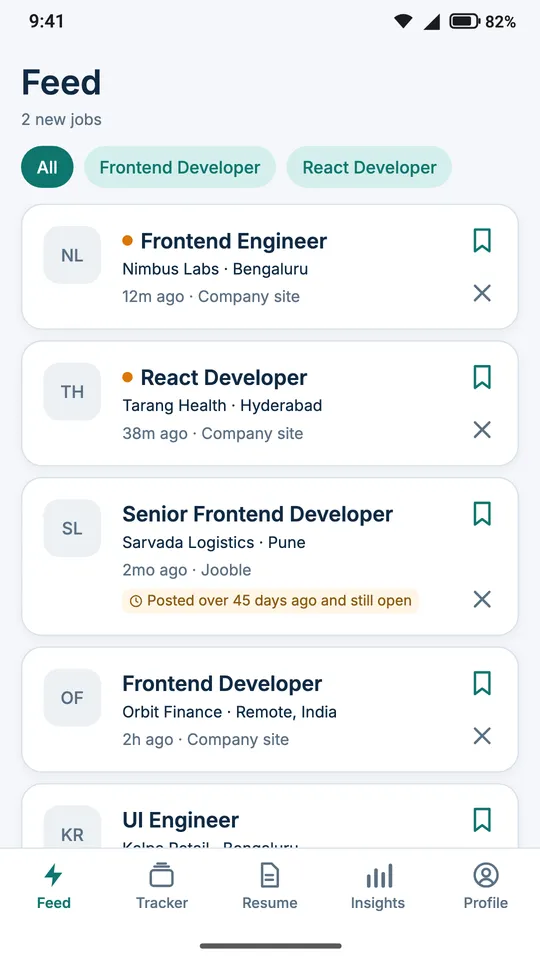
Fresh jobs, newest first
Save a search — a role and a city is enough — and the app checks company career pages and job boards in the background.
- Newest openings at the top, with how long ago each was posted
- Remote and work-from-home roles, and city search that knows Bangalore is Bengaluru and Gurgaon is Gurugram
- The same job from two sources shows once
- Staffing agencies hidden with one switch, and old postings labelled with their age
- One notification for everything new, never one per job
A resume and CV maker with a free PDF
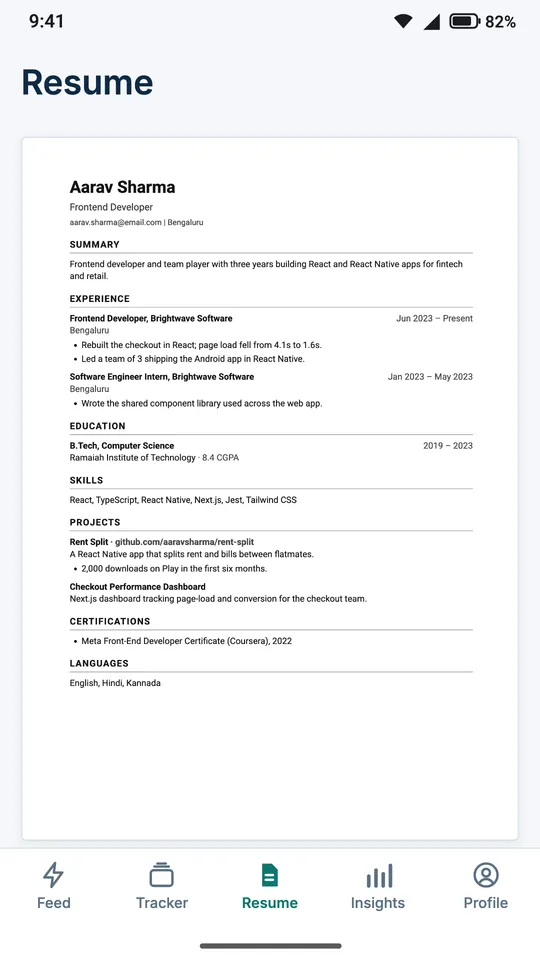
Upload your resume (PDF or Word) or start from scratch, and see the real A4 page as you type.
- 79 templates: simple, modern, tech, creative, photo, student, and Indian formats such as Bio-Data
- Classic and Fresher download free, with no watermark, always
- Page breaks shown where the printer will put them
- Up to five versions of your resume with Pro, one per kind of role
An ATS check you can see
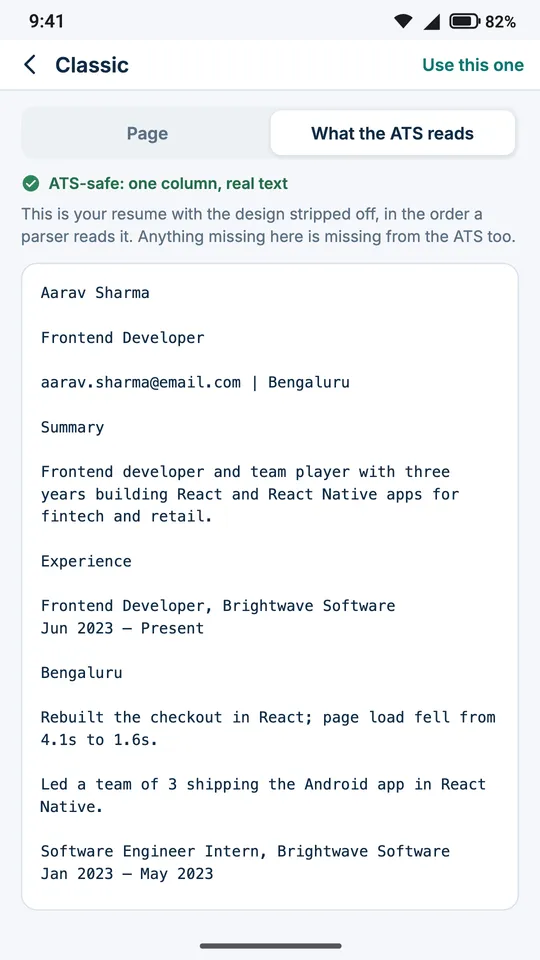
"What the ATS reads" shows your resume in the order an applicant tracking system reads it, with a list of fixes.
- Missing sections, mixed date formats and bullets with no numbers
- Filler phrases such as "team player" and "hardworking"
- The skills a posting asks for that your resume does not mention
- Every check runs on your phone
Apply faster, and stay in control
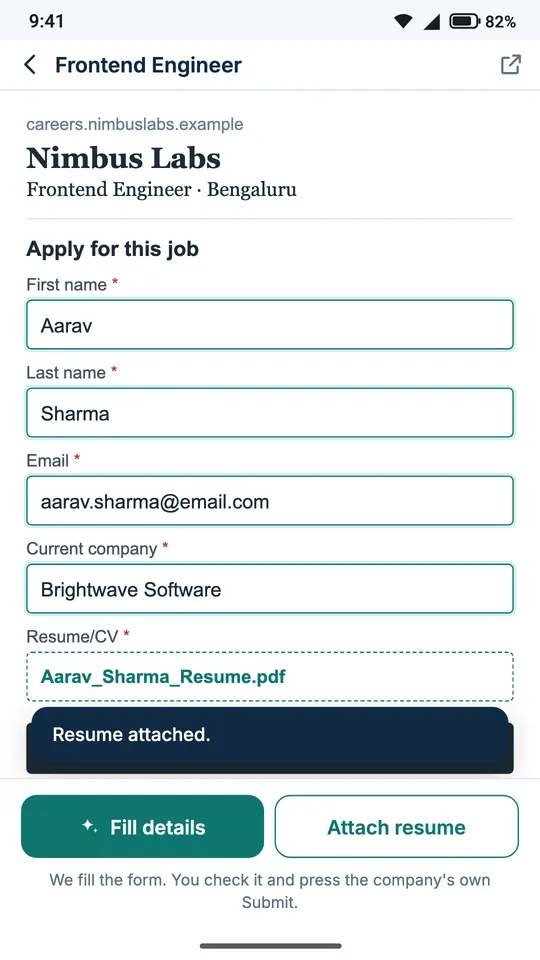
The app fills the company's own application form from your resume and attaches your PDF.
- Name, email, education and experience filled in for you
- It never overwrites a field you already filled
- It never submits and never ticks a consent box: pressing Submit is yours
- The job moves to Applied in your tracker
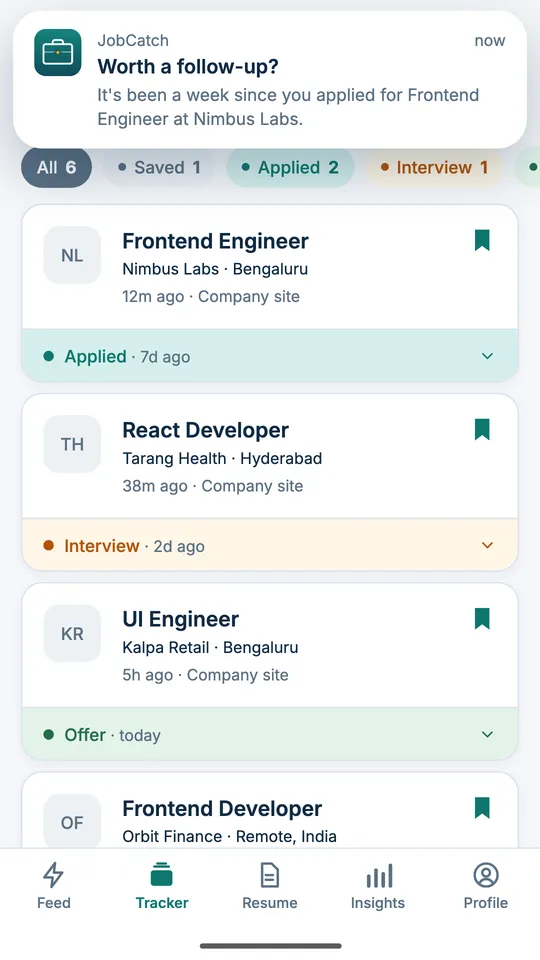
A job application tracker
Saved, Applied, Interview, Offer, Rejected and No reply, for every job you touch.
- A reminder to follow up a week after you apply
- Your own notes on every job
- With Pro: interview dates with reminders, which resume you sent, and export to a spreadsheet
A scam check for job offers
Paste a job message from WhatsApp, SMS or email and see its warning signs, each with the reason.
- Money asked before you start, deposits for "tasks", OTP or PIN requests, penalty threats
- WhatsApp- or Telegram-only recruiters, guaranteed selection, pressure to act now
- Nothing you paste leaves your phone
- It never calls an offer safe: it tells you what to check
"Congratulations! You are selected for Data Entry, ₹45,000/month, work from home. Pay ₹1,999 registration fee today to confirm. Contact HR on WhatsApp only."
This looks like a scam
- It asks for money before you start
- It offers a job with no interview
- It pushes you to act quickly
- It moves the conversation to WhatsApp
Cover letters from your resume
A draft built only from your own facts: a skill is named only if it is on your resume and in the posting. Share it as a PDF with Pro.
Interview prep for each job
Questions to prepare for, drawn from the posting and your resume. With Pro, how the company usually interviews and what is most asked for the role.
Insights on your search
How many jobs come in each day, who is hiring most and where, worked out on your phone.
Built around what people hate about job apps
A resume locked behind a paywall after an hour of work
Your Classic or Fresher resume downloads as a PDF, free, with no watermark, always.
A cheap trial that quietly becomes a monthly charge
No trials. The price is shown before you pay, and you can cancel in Google Play at any time.
Spam calls after signing up
We never ask for your phone number. Sign in with Google and that is all.
Fake offers asking for a "registration fee"
A scam check on every posting, and on any WhatsApp, SMS or email offer you paste.
Ghost jobs open for months
Every job shows how long ago it was posted, and old ones are labelled.
Paying for "profile visibility" that brings no calls
We sell templates and tools, never promises about recruiters.
Applications that vanish
A tracker that reminds you to follow up a week after you apply.
AI that invents achievements
Cover letters and interview prep are built only from what you wrote.
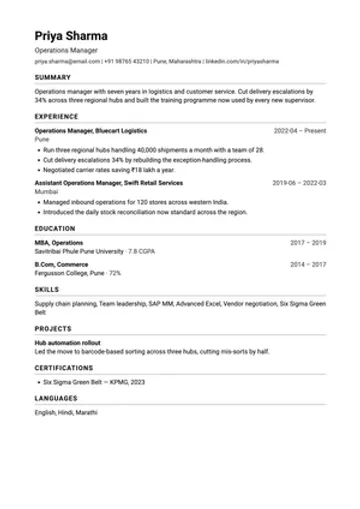
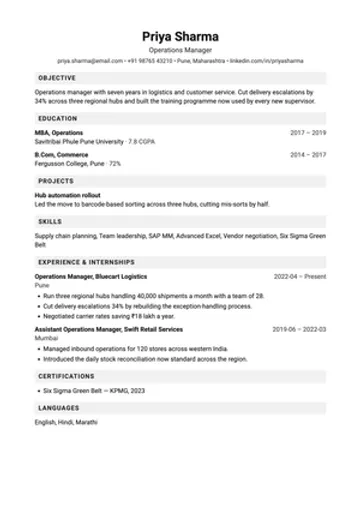
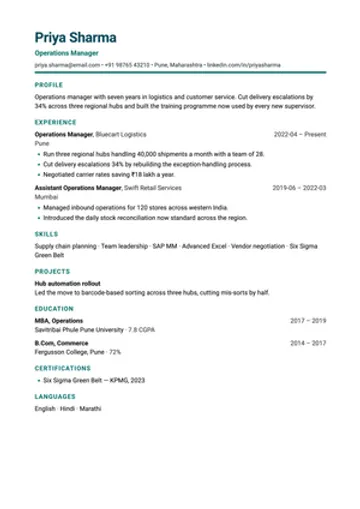
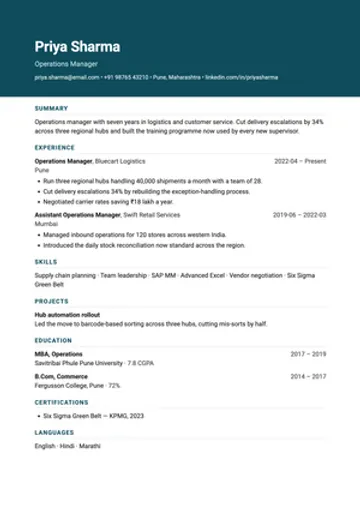
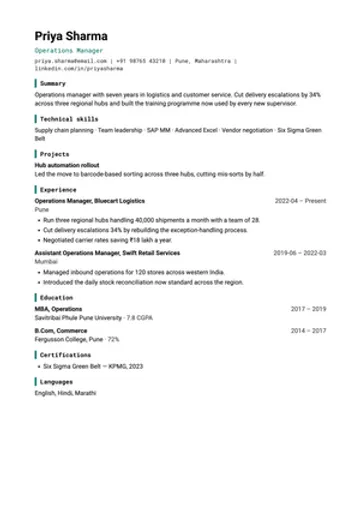
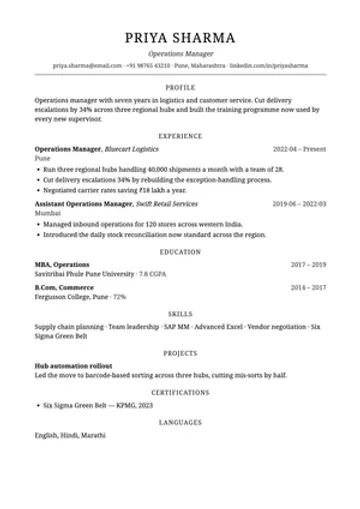
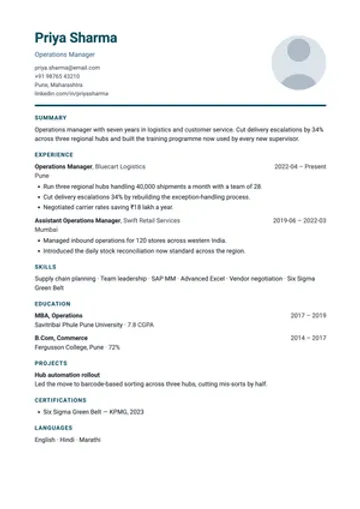
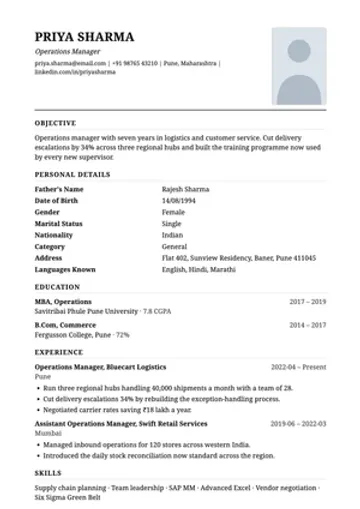
79 resume templates, 2 free forever
Real renders of each template. Every one fits A4, and the ATS-safe ones read in the right order.
Who it is for
Freshers and students
Education-first resumes, internships and first jobs, and campus Placement and Fresher formats. Fresher resume format
Experienced professionals
Hourly checks for your next role in tech, product, analytics, sales, operations, finance and more.
Government and PSU applicants
Bio-Data with a photo and a signed declaration, and Railway, PSU and Teaching formats. Bio-data format
Jobs abroad
Gulf CV for the UAE, Saudi Arabia and Qatar, Europass, UK, North American and German formats.
Career switchers
Up to five resume versions, one for each kind of role, and the skills each posting asks for.
Anyone tired of scams
Every offer checked for the signs of a fake one. How to spot a fake job offer
Private by design
- Sign in with Google. No password, no OTP, no phone number.
- Your resume, notes, saved jobs and tracker live on your phone, not on our servers.
- A file you upload is read once and discarded. We never copy its design.
- Before any resume text is sent for reading, your name, email, phone number and links are removed.
- Delete your account from inside the app at any time.
Free, and Pro
| Free | Pro | |
|---|---|---|
| Job checks | Every 3 hours | Every hour |
| Resume templates | 2, free PDF | All 79 |
| ATS check and scam check | Yes | Yes |
| Tracker and reminders | Yes | + interviews, export |
| Cover letter PDFs, interview prep | — | Yes |
| Ads | A banner | None |
Guides
How to make an ATS-friendly resume
What a parser actually reads, and the six things that break it.
Fresher resume format for India
What to put first when you have no experience yet.
Bio-data format for a job
The fields a government or PSU form expects, and the declaration.
How to spot a fake job offer
Nine warning signs, and what to do if you have already paid.
Questions
Is JobCatch free?
Yes. Job alerts, the scam check, the tracker, the ATS check and the Classic and Fresher resume templates are free, and those resumes download as a PDF with no watermark, always. JobCatch Pro unlocks the other 77 templates, hourly job checks, cover letter PDFs, interview prep for each job and some tracker extras. There is no free trial that turns into a charge, and the price is shown before you pay.
Where do the jobs come from?
From company career pages and public job boards, checked in the background for the searches you save. The newest openings come first, the same job from two sources is shown once, and a posting that has been open for weeks says so.
Does JobCatch apply to jobs for me?
No. It fills the company's own application form from your resume and attaches your PDF, then stops. You read the form and press the company's Submit button yourself. It never ticks a consent box for you.
Are the resume templates ATS-friendly?
74 of the 79 templates are single-column and ATS-safe. The 5 two-column templates say so on their card, because an applicant tracking system reads a page left to right and can run two columns together. "What the ATS reads" shows your own resume in the order a parser reads it. See the ATS-friendly resume guide.
Can I make a resume for a fresher or a government job?
Yes. Fresher and Campus put education and projects first, and the India formats include Bio-Data with a photo and signed declaration, Railway, PSU, Teaching and campus Placement. For jobs abroad there are Gulf CV, Europass, UK and North American formats.
Can I import my old resume?
Yes. Upload a PDF or Word file and the app fills in your sections. Your name, email, phone number and links are removed before any text is sent for reading, and the file itself is not kept.
Where is my resume stored?
On your phone. Your resume, notes, saved jobs and tracker live on the device. A file you upload is read once to fill in your resume and is never stored on our servers.
Does JobCatch ask for my phone number?
No. You sign in with Google. There is no password, no OTP and no phone number, so signing up cannot lead to spam calls.
How often does it check for new jobs?
Every 3 hours on the free plan and every hour with Pro. Each check covers everything since the previous one, and all the new jobs arrive in one notification, not one per job.
How do I know a job offer is not a scam?
Paste the message into the scam check. It lists the warning signs it finds, such as a fee before joining, an OTP request or a WhatsApp-only recruiter, each with the reason. It never calls an offer safe. Read how to spot a fake job offer.
Is there an iPhone app?
Not yet. JobCatch is on Android only.
Was JobCatch called CareerDost?
Yes. The app was called CareerDost until October 2026. It is the same app, from the same developer, and an update keeps everything on your phone.
Get JobCatch on Android
Free to install. No phone number, no password, and no trial that turns into a charge.